
Can you tell the difference?
Fact or Fiction Quiz Nights puts a properly run quiz in your venue: questions on the big screen, teams join from their own phones with a QR code, scoring happens live, and every night counts towards a national league.
- 8 rounds a night
- Jokers
- The Streak
- The Cold Case
- National league
- 8rounds of 10 questions
- 0apps to download for teams
- 2Jokers per team
- 1national league
Simple for the room. Easy for the host.
Everything runs from Fact or Fiction's own system. The venue just plays the quiz it is given.
- We book the quizFact or Fiction's content creators choose tonight's quiz and book it onto your night.
- The host starts itThe quiz downloads to the venue's computer and the picture, sound and join code appear on the TV.
- Teams scan and playTeams scan the QR code, pick their Jokers and answer on paper - or on their phones on special nights.
- Marked live, results savedThe host marks from a phone. Standings show on the screen and the night joins the national league.
Everything a good quiz night needs
A show worth watching
Big, clear questions with pictures, sound and video, a topics board, answer reveals and standings - built for the venue TV.
Join in seconds
Teams scan a QR code. No app, no account. Their phone shows the team, its Jokers and its place in the league.
Live marking
The host or a helper taps answers right on a phone or iPad. Totals, Jokers and ties are worked out for them.
Special quizzes
Teams can type answers on their phones with fair-play checks, and typed answers are marked automatically with allowance for spelling.
The Streak and The Cold Case
Two signature segments that keep every table in the game until the last answer.
A national league
Scores from every venue add up by team name through the season, with a public table teams can look themselves up on.
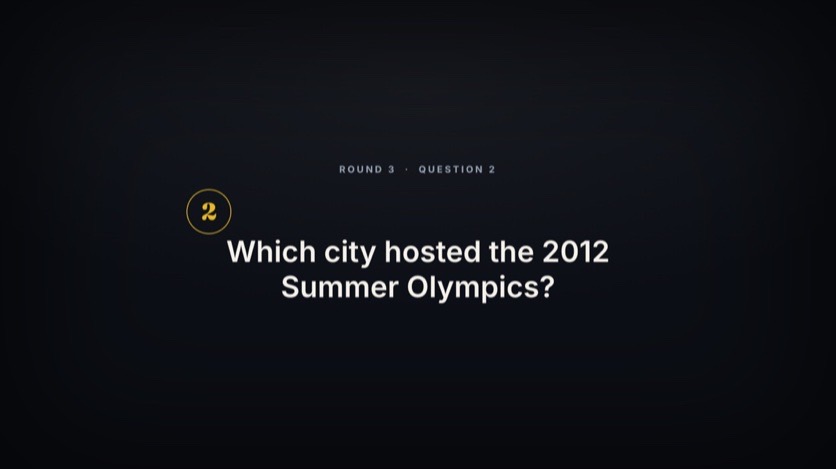
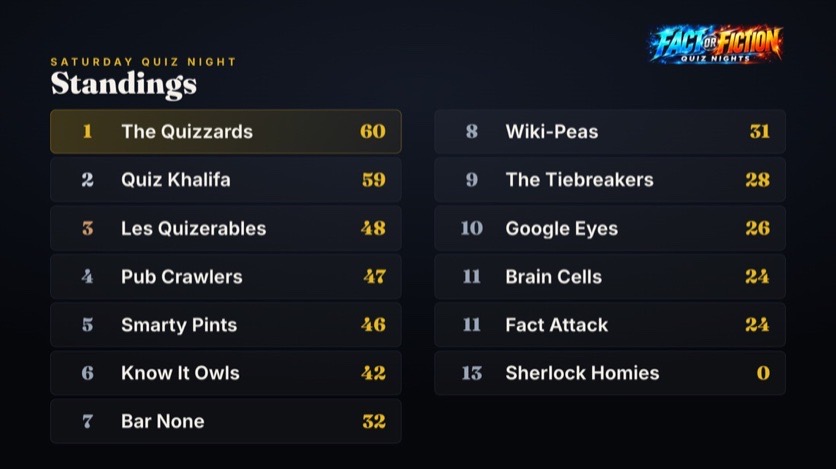
What your room will see
These are screens from the working system. The question fills the TV; the standings come up between rounds; the host stays in control from a laptop.
- Works with an HDMI cable or a TV browser on the venue wifi
- Sound from HDMI, the laptop's sound card or the TV itself
- Keeps going if the venue's internet drops
Pick your corner
Venues
Bring a weekly quiz to your bar, pub or club with no quiz-writing and no extra staff.
Host a quiz night →Teams
How to join, how the scoring works and what the special rounds are.
How to play →Hosts and help
Handbook for the person running the night, plus troubleshooting and support.
Help centre →Good to know
Do I need to download an app?
No. Scan the QR code on the venue's screen with your phone's camera and your team's page opens in the browser. There is nothing to install and no account to make.
How do we score points?
A normal night is eight rounds of ten questions, one point for each right answer. Each team also picks two Joker rounds that score double. On top of that there are two special segments: The Streak and The Cold Case (see below). Teams with the same total share a place.
Where can I see how my team is doing across the season?
On the national league page. Scores from every venue are added together by team name; capitals, spaces and punctuation are ignored, so "The Quizzards" and "THE QUIZZARDS!" are the same team.
What does a venue need?
A computer (Windows, Mac or Linux) on the venue's wifi, a TV or projector for the picture, sound from that TV or from the computer into the venue's speakers, and a phone or iPad for marking. Teams use their own phones.
What if the internet drops in the middle of the night?
Once tonight's quiz is on the laptop the show carries on without the internet. Only the scoring needs it, and if the wifi blips the taps are queued and sent as soon as it is back.
Ready for a proper quiz night?
Venues: let's get a night booked. Teams: find your table and scan the code.