
A quiz night without the work
We write the quizzes, book them onto your night and look after the system. You supply a TV, a laptop and a host - the show, the scoring and the league do the rest.
- A fresh, professionally written quiz every week - never the same one twice at your venue
- Teams join from their own phones; no paper sign-up, no app
- Marked live, standings on the screen, results saved
- A friendly league that gives teams a reason to come back
The kit
A computer
Windows, Mac or Linux, on the venue's wifi. The download carries everything it needs.
A screen
A TV or projector by HDMI cable, or a TV browser / streaming stick on the same wifi.
Sound
From the TV, over HDMI, or from the computer into your speakers. A sync test lines it up.
A phone or iPad
For the marker. Teams use their own phones.
How it works for a venue
- Get in touchTell us your night and we set up your venue and give you a code and password.
- Install onceDownload the starter for your computer from your Venue page and unzip it.
- We book the quizEach week's quiz appears under Coming up; it downloads once it is paid.
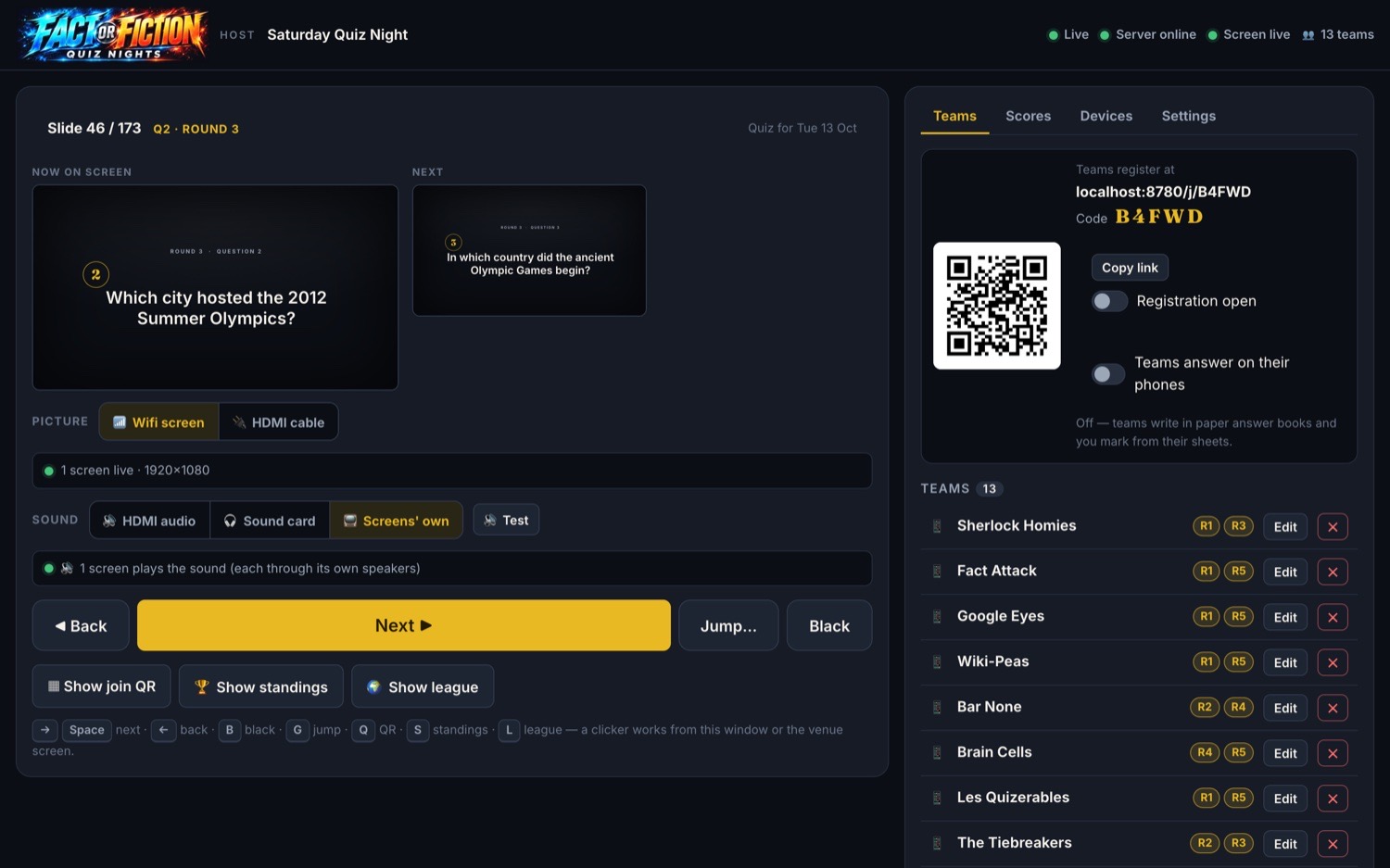
- Press startOpen the app on the night, start the quiz and show the join code. That's it.
Venues that run all their screens and music from one computer can run the quiz from it: start the app from the media system's launcher when the quiz is wanted, and the host's laptop finds it and controls the night. It never starts by itself, so it won't interrupt your music and videos.
Good to know
What does a venue need?
A computer (Windows, Mac or Linux) on the venue's wifi, a TV or projector for the picture, sound from that TV or from the computer into the venue's speakers, and a phone or iPad for marking. Teams use their own phones.
Is there anything to install first?
The download from your Venue page carries everything it needs - including its own copy of Python - so there is nothing else to install. Unzip it and start it.
What if the internet drops in the middle of the night?
Once tonight's quiz is on the laptop the show carries on without the internet. Only the scoring needs it, and if the wifi blips the taps are queued and sent as soon as it is back.
When can we download the quiz?
Once Fact or Fiction has booked it onto your night and ticked it paid. It becomes available up to two weeks ahead, so a slow connection has plenty of time. Press Download now under Coming up.
We have an AV computer that runs all our screens and music. Can it run the quiz?
Yes. Put the app on the AV computer and start it from the media system's launcher only when the quiz is wanted (it never starts by itself, so it won't interrupt your music and videos). The host's laptop finds it on the network and just controls the night. A clicker works in either computer.
What happens to the quiz after the night?
When the host presses End quiz the results go to the server and the league, and the quiz is deleted from the laptop. The marking link stops working.
Who marks the answers?
Usually the host, or a helper, on a phone or iPad using the scoring link. On a special quiz night typed answers are marked automatically (with allowance for spelling) and the marker only checks the close calls.
Can a venue make its own quizzes?
No. Every quiz is written by Fact or Fiction's own content creators and booked onto your night. A venue receives and plays it.
We forgot our venue password.
Contact us and we will make a new one straight away; the old one stops working at once.
Ready for a proper quiz night?
Venues: let's get a night booked. Teams: find your table and scan the code.